Live Event Rundowns.
Right On Your Desktop.

Built by event pros, for event pros.

ShowCall is a desktop application built by live event professionals who understand the pressures of show day. Create detailed rundowns, manage cues with precise timing, and share with your crew over the local network — no internet connection required.
Runs Locally Local Network Sharing No Internet Required
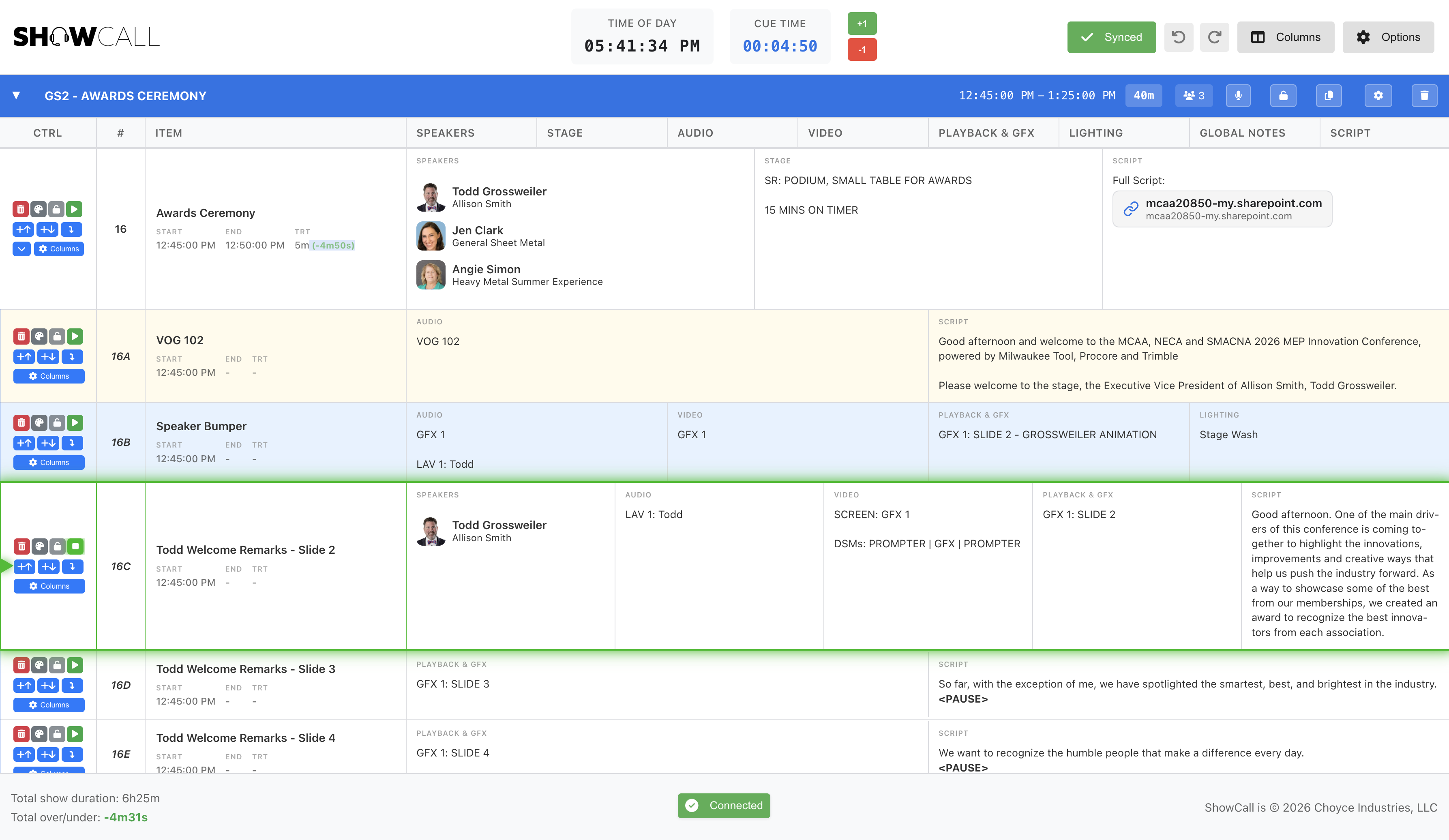
ShowCall desktop application - Professional event rundown management
Standout Feature

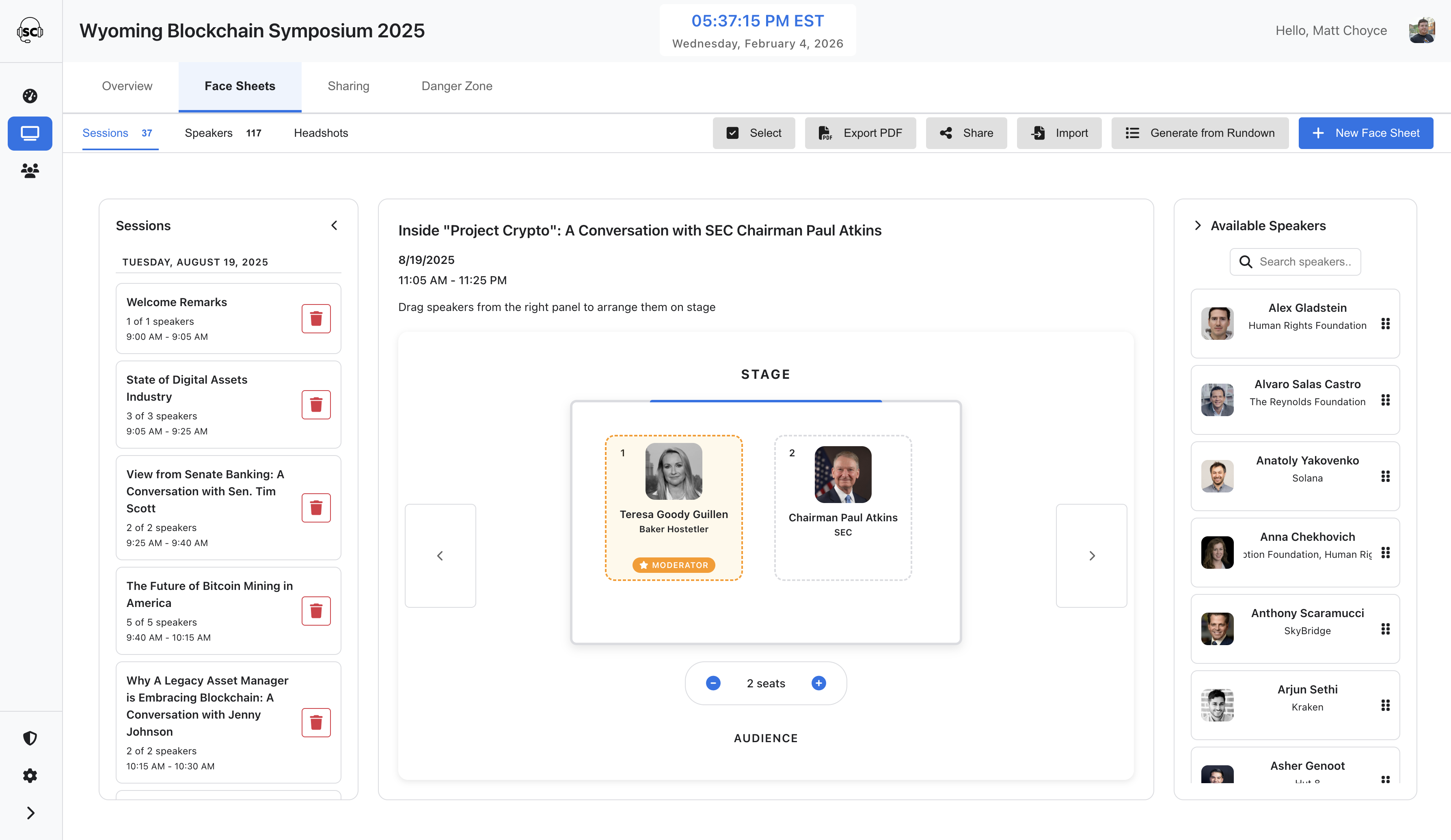
Face Sheets Management

A complete speaker and stage layout system built right into ShowCall. Manage headshots, design stage layouts, and export professional face sheets — all from your desktop.

ShowCall Face Sheets Management - Stage layout designer with speaker headshots

Speaker Database

Import speakers from Excel, manage profiles and headshots in bulk, and keep a centralized database across all your shows.

AI Headshot Processing

Automatically detect and center faces in speaker headshots for clean, professional face sheets every time.

Stage Layout Designer

Drag-and-drop speakers into position on a visual stage layout. Designate moderators and adjust seating dynamically.

Professional PDF Export

Generate polished face sheet PDFs with stage visualizations. Batch export multiple sessions into a single document.

Everything You Need for Professional Production

ShowCall provides comprehensive tools designed specifically for event production workflows

Excel-like Navigation

Professional spreadsheet-style interface with single-click selection, double-click editing, and arrow key navigation. Industry-standard workflow for faster cue management.

Single & Multi Column

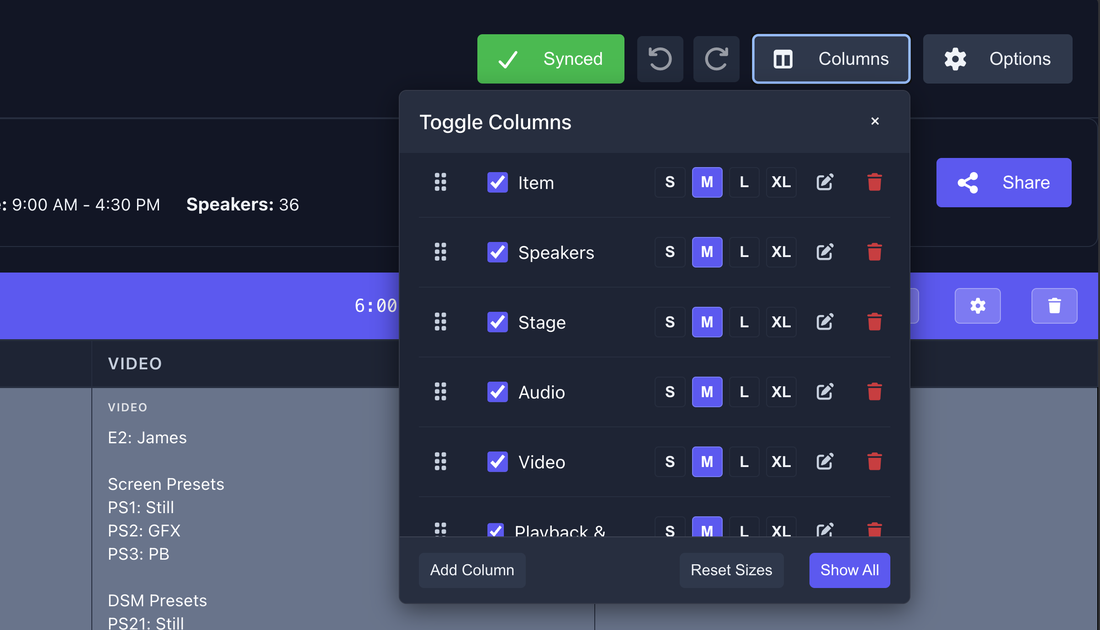
Select which columns matter most for each cue individually, hiding empty ones for a cleaner, more customized look.

Version History

Automatic version snapshots every 5 minutes with full undo/redo support. Restore any previous version, compare changes, and create named milestones for important edits.

Block Templates

Save blocks as reusable templates with all cues, colors, and timing preserved. Perfect for repeated sequences like opening VOG, closing credits, or commercial breaks.

Precise Timing Control

Automatic calculation of end times, durations, and total running time. Over/under time tracking shows actual vs planned timing during show execution with real-time updates.

Works Without Internet

ShowCall runs entirely on your desktop. Create shows, build rundowns, and manage cues without any internet connection. Your data stays on your machine.

Local Network Sharing

Share rundowns with your crew over the local network. Multiple users can view and follow along with live cue tracking, editing indicators, and automatic updates — no internet needed.

Digital Signage Display

Dedicated 3-column display showing Previous, Current, and Next cues. Perfect for external monitors with live countdown timers and speaker information.

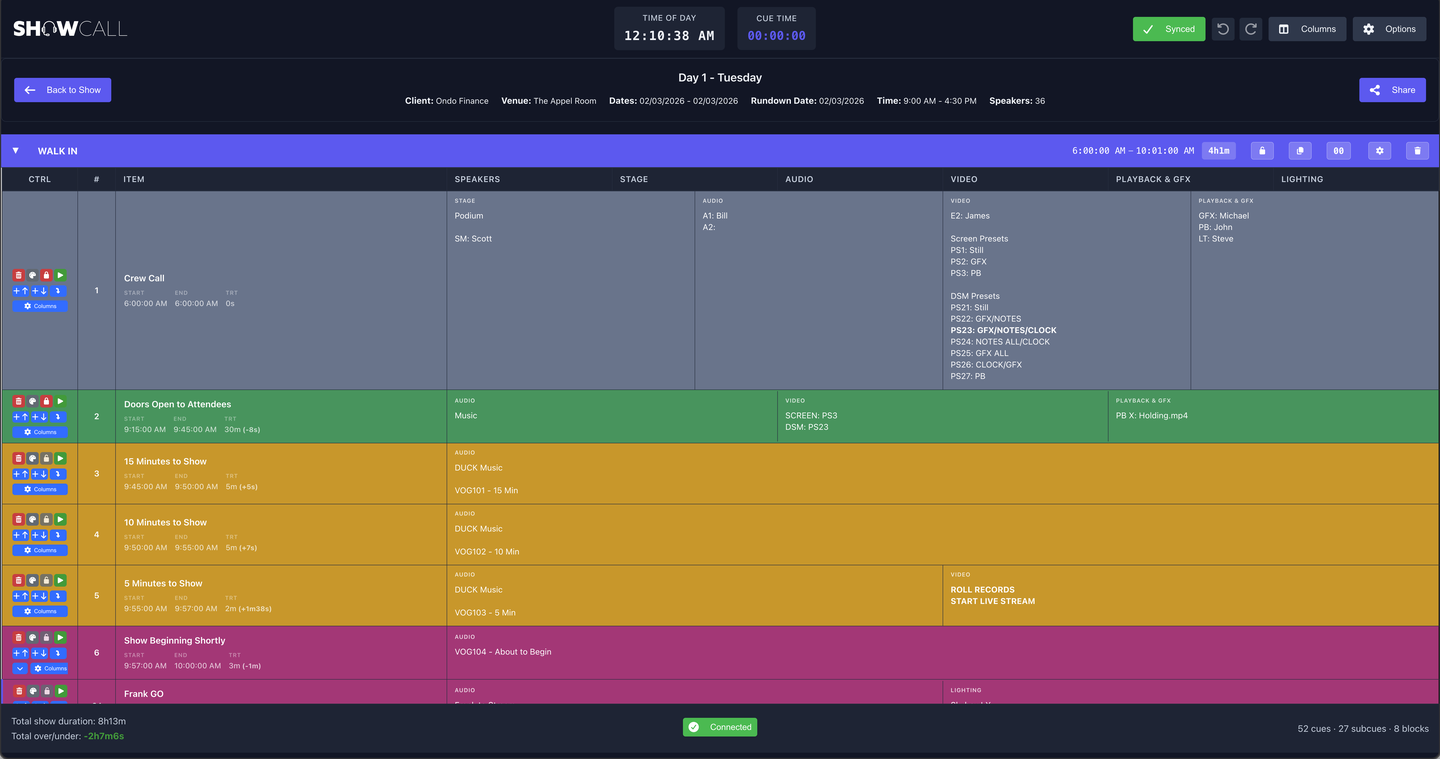
ShowCall rundown editor with live timing and cue rows
Build and call your rundown with live timing and real-time crew sync
Toggle Columns panel showing column options and sizing
Show exactly the columns your production needs — per rundown
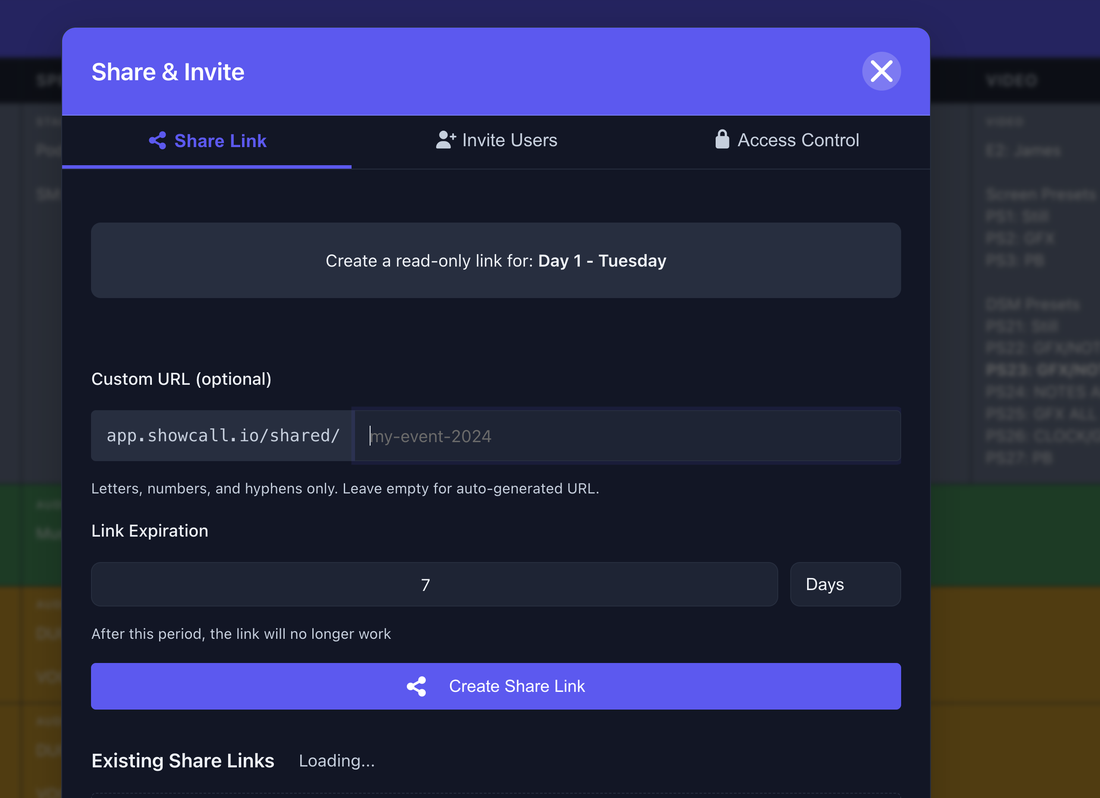
Share & Invite dialog with share link creation
Share a live read-only link with your crew in seconds
View Complete Feature List
Optional Add-on

Take It Further with Cloud Sync

Need remote access or team management? Add cloud features to sync your productions across devices and collaborate from anywhere.

Sync Across Devices

Back up your shows to the cloud and access them from any device. Changes sync automatically when connected.

Remote Crew Access

Share rundowns with remote team members outside your local network. Crew can follow along with live cue tracking from anywhere.

Team Management

Create teams, assign roles, and manage access across your productions. Built-in licensing keeps everything organized.

Ready to Run Your Productions Locally?

Download ShowCall and start building professional rundowns on your desktop.